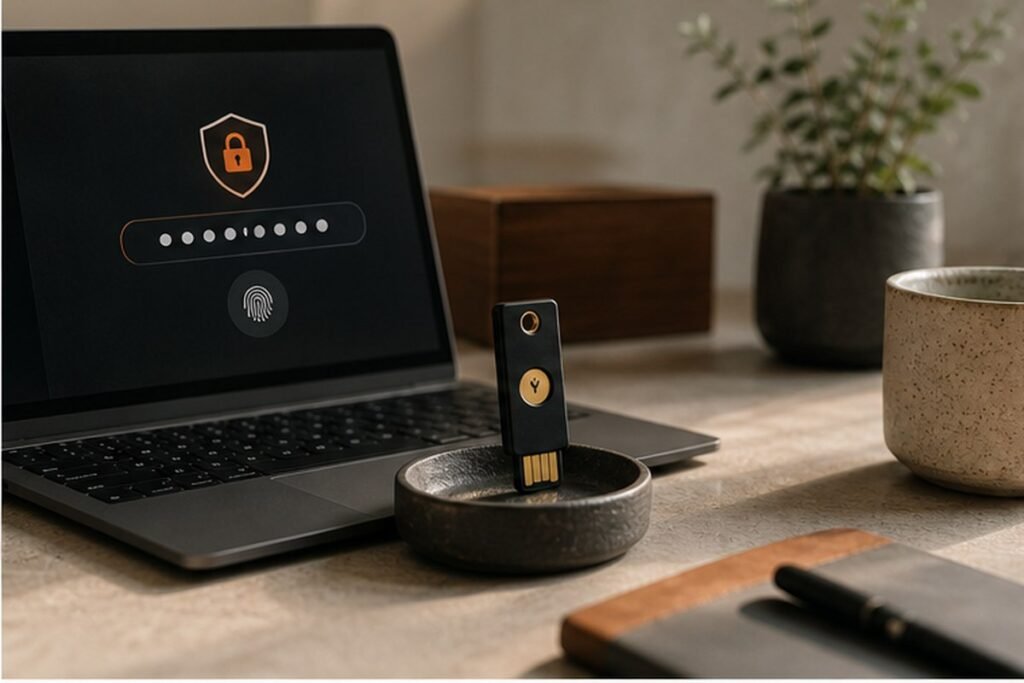
A plain-language security routine built around strong sign-ins, updates, backups and phishing awareness.
Technology should remove friction from everyday life, not add another layer of noise. Most people do not need an elaborate security laboratory. They need a small number of high-impact controls that still work on a busy day: unique credentials, multi-factor authentication, reliable updates, recoverable backups and a pause before clicking. This Findreminds guide turns that idea into a sequence you can test, measure and adapt without chasing perfection.
At a glance
The simplest approach is to begin with one high-impact change, use it in a real situation, and review the result before adding more. The steps below are ordered to make personal cybersecurity plan practical for beginners while leaving enough flexibility for experienced readers.
Why personal cybersecurity plan matters
Most people do not need an elaborate security laboratory. They need a small number of high-impact controls that still work on a busy day: unique credentials, multi-factor authentication, reliable updates, recoverable backups and a pause before clicking. Good systems also reduce decision fatigue: the correct next action is visible, the tools are close at hand and progress can be judged by a real outcome rather than appearance.
A practical step-by-step method
1. Secure your primary email first
Change reused credentials, enable multi-factor authentication and verify recovery options because email can reset many other accounts. Make the change small enough to test in one normal day. A simple before-and-after note is more useful than a perfect system that exists only on paper.
2. Use a password manager
Create a unique, long password for every important account and let the manager generate and store it instead of relying on memory. The practical test is whether this still works when time, energy or attention is limited. If it requires repeated negotiation, reduce the number of decisions.
3. Adopt passkeys where available
Passkeys resist many phishing attacks because the sign-in is bound to the legitimate site or app and unlocked on your device. Keep the result observable. Write down what improved, what became harder and what you would change before repeating the step next week.
4. Turn on automatic updates
Enable updates for the operating system, browser, apps and network equipment, then restart when a security update requires it. This is also a good place to remove unnecessary tools. Use the settings, materials and routines already available before buying another product or subscription.
5. Build a two-copy backup habit
Keep one convenient cloud or external backup and another copy separated from the main device, then test that a file can be restored. Expect the first version to be incomplete. A useful routine becomes personal through feedback, not through copying someone else’s ideal setup.
6. Slow down suspicious messages
Inspect the sender, destination link, urgency and request; contact the organization through its official app or saved number instead of the message. If the step affects another person, explain the reason and agree on a simple boundary. Shared expectations are easier to maintain than silent assumptions.
7. Lock and locate every device
Use screen lock, encryption, device-finding and remote erase where available, and write down serial numbers for valuable equipment. Use a clear stopping rule. Once the intended outcome is achieved, move on instead of turning a helpful adjustment into another project.
8. Create an incident card
Keep a short offline list of bank, mobile carrier and account-recovery contacts so you can respond calmly after loss or compromise. Review the effect after several repetitions, because one unusually easy or difficult day can give misleading feedback.
Common mistakes to avoid
- Reusing a strong password across sites. Pause and return to the outcome you actually want; a smaller, safer adjustment is usually easier to sustain.
- Approving unexpected authentication prompts. Pause and return to the outcome you actually want; a smaller, safer adjustment is usually easier to sustain.
- Keeping the only backup permanently attached. Pause and return to the outcome you actually want; a smaller, safer adjustment is usually easier to sustain.
- Calling a number included in a suspicious message. Pause and return to the outcome you actually want; a smaller, safer adjustment is usually easier to sustain.
A realistic seven-day plan
Protect email today, move the next five important accounts into a password manager this week, enable updates, and schedule a monthly backup check. Keep the experiment narrow. At the end of the week, answer three questions: What became easier? What still created friction? What is the one change worth carrying forward?
Quick checklist
- Secure your primary email first
- Use a password manager
- Adopt passkeys where available
- Turn on automatic updates
- Build a two-copy backup habit
- Slow down suspicious messages
- Lock and locate every device
- Write one result you will review after seven days
Frequently asked questions
Is SMS authentication better than no second factor?
Yes, although an authenticator app, security key or passkey is generally more resistant to interception and account takeover.
How often should passwords be changed?
Change a password when it is weak, reused, exposed or required by policy. Unique credentials and MFA matter more than arbitrary frequent changes.
What is the first step after clicking a suspicious link?
Disconnect if a download started, close the page, scan the device, change affected credentials from a trusted device and contact the relevant provider.
Final takeaway
Personal cybersecurity plan becomes useful when it supports a clear outcome and remains simple enough to repeat. Begin with the first relevant step, observe what happens and adapt the method to your own schedule, resources and responsibilities. Findreminds will continue to translate useful ideas across Technology, work and everyday life into practical guides you can use.