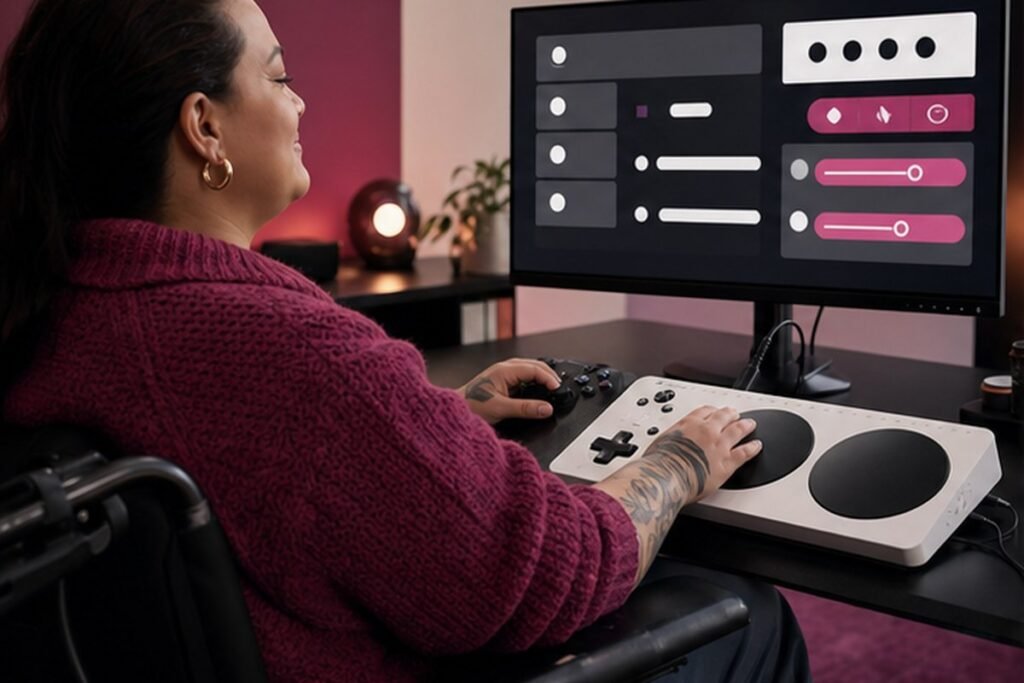
Subtitles, remapping, motion controls and difficulty options can improve comfort and clarity for a wide range of players.
The best gaming advice respects both the joy of play and the practical limits of time, hardware and health. Accessibility settings are not niche extras. They help people with permanent disabilities, temporary injuries, fatigue, different displays, noisy rooms and varied learning preferences. This Findreminds guide turns that idea into a sequence you can test, measure and adapt without chasing perfection.
At a glance
The simplest approach is to begin with one high-impact change, use it in a real situation, and review the result before adding more. The steps below are ordered to make accessible game settings practical for beginners while leaving enough flexibility for experienced readers.
Why accessible game settings matters
Accessibility settings are not niche extras. They help people with permanent disabilities, temporary injuries, fatigue, different displays, noisy rooms and varied learning preferences. Good systems also reduce decision fatigue: the correct next action is visible, the tools are close at hand and progress can be judged by a real outcome rather than appearance.
A practical step-by-step method
1. Start with readable subtitles
Increase text size, add a background or speaker label and check whether important sound effects receive captions. Make the change small enough to test in one normal day. A simple before-and-after note is more useful than a perfect system that exists only on paper.
2. Remap uncomfortable controls
Move repeated or simultaneous inputs to reachable buttons and save separate profiles for different games. The practical test is whether this still works when time, energy or attention is limited. If it requires repeated negotiation, reduce the number of decisions.
3. Reduce repeated input strain
Use hold instead of rapid tapping, toggle instead of continuous hold and automatic sprint where these options improve comfort. Keep the result observable. Write down what improved, what became harder and what you would change before repeating the step next week.
4. Control camera motion
Adjust sensitivity, field of view, camera shake, head bob and motion blur to reduce disorientation. This is also a good place to remove unnecessary tools. Use the settings, materials and routines already available before buying another product or subscription.
5. Separate visual information
Try color-blind palettes, high-contrast outlines, larger markers and interface scaling rather than relying on color alone. Expect the first version to be incomplete. A useful routine becomes personal through feedback, not through copying someone else’s ideal setup.
6. Tune audio channels
Raise dialogue, lower sudden effects and use visual indicators when directional sound is difficult to interpret. If the step affects another person, explain the reason and agree on a simple boundary. Shared expectations are easier to maintain than silent assumptions.
7. Choose difficulty by experience
Use aim support, timing windows, puzzle hints or damage settings to create the challenge you want, not the one implied by a label. Use a clear stopping rule. Once the intended outcome is achieved, move on instead of turning a helpful adjustment into another project.
8. Save the configuration
Use platform profiles, screenshots or notes so a comfortable setup can be restored after updates or on another device. Review the effect after several repetitions, because one unusually easy or difficult day can give misleading feedback.
Common mistakes to avoid
- Assuming default settings are neutral. Pause and return to the outcome you actually want; a smaller, safer adjustment is usually easier to sustain.
- Changing every option without testing a short scene. Pause and return to the outcome you actually want; a smaller, safer adjustment is usually easier to sustain.
- Equating accessibility with lack of skill. Pause and return to the outcome you actually want; a smaller, safer adjustment is usually easier to sustain.
- Overlooking platform-level remapping and display tools. Pause and return to the outcome you actually want; a smaller, safer adjustment is usually easier to sustain.
A realistic seven-day plan
Before the next long session, spend ten minutes in accessibility, controls, audio and display menus, then test one representative action and one dialogue scene. Keep the experiment narrow. At the end of the week, answer three questions: What became easier? What still created friction? What is the one change worth carrying forward?
Quick checklist
- Start with readable subtitles
- Remap uncomfortable controls
- Reduce repeated input strain
- Control camera motion
- Separate visual information
- Tune audio channels
- Choose difficulty by experience
- Write one result you will review after seven days
Frequently asked questions
Do accessibility settings make games unfair?
Single-player settings shape an individual experience. Competitive games may limit certain options, but clear information and adaptable controls benefit fair participation.
Why can motion blur feel uncomfortable?
Visual motion that does not match physical movement can bother some players. Reducing blur, shake or camera speed may help.
What if a game lacks remapping?
Check operating-system, console or controller software for platform-level profiles and share constructive feedback with the developer.
Final takeaway
Accessible game settings becomes useful when it supports a clear outcome and remains simple enough to repeat. Begin with the first relevant step, observe what happens and adapt the method to your own schedule, resources and responsibilities. Findreminds will continue to translate useful ideas across Gaming, work and everyday life into practical guides you can use.